Outputs land on your Mac
Generations save into your library and projects. Not a tab you forget, not a download hunt later.
 Makejam
Download for Mac
Makejam
Download for Mac
Mac studio for AI image, video & music
Generate images, video and music. Run local models on your Mac, or reach cloud providers with your own keys. Every file stays on your Mac.
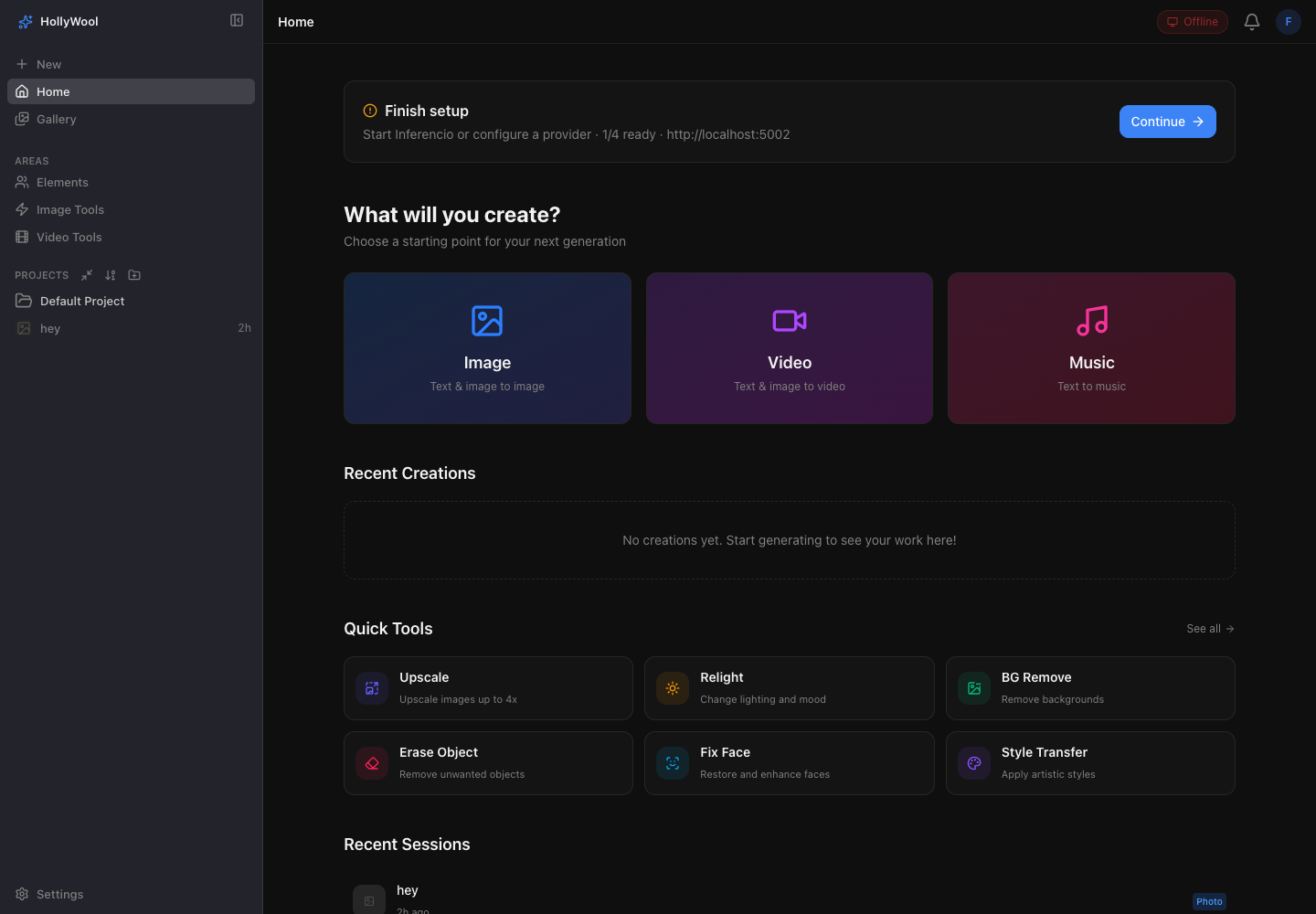
Dead simple UI
Pick a mode. Type a prompt. Hit generate. Demo results only. The gesture is real.
Describe a still and generate a demo result
Interactive demo. No real model call. Results are staged samples.
How it works
Same studio. Pick where the work runs: this Mac, a GPU box on your LAN, or a remote provider.
Run models on your Mac hardware when privacy and latency matter.
 KREA
KREA
 fal.ai
 Higgsfield
 Venice
 Replicate
 OpenAI
 Stability AI
 RunPod
 Google AI
 Custom
Why a Mac app
Provider websites are fine for a one-off. Makejam is built for keeping the work on your Mac and moving it across models freely.
Generations save into your library and projects. Not a tab you forget, not a download hunt later.
Run a still on fal.ai, relight with another provider, upscale elsewhere. Same prompt bar, same assets, no re-upload circus.
Private local workers when you want silence. Cloud APIs when you need range. Same prompt bar either way.
Upscale, erase, outpaint, crop and trim stay one click away from any frame. Provider websites stop at download.
Model catalog
Browse the catalog by provider. Discovery surfaces more as provider APIs evolve. This is the curated baseline.
Broad image, video, and music coverage — FLUX, Seedream, Wan, MiniMax, and more.
Image & video tools
Upscale, relight, remove backgrounds, inpaint, restore faces. Outpaint, crop and trim video. All without leaving the studio.
Upscale images up to 4× with Topaz AI.
Projects
Projects live in the sidebar: named rooms for clients, campaigns and experiments. Switch without losing context.
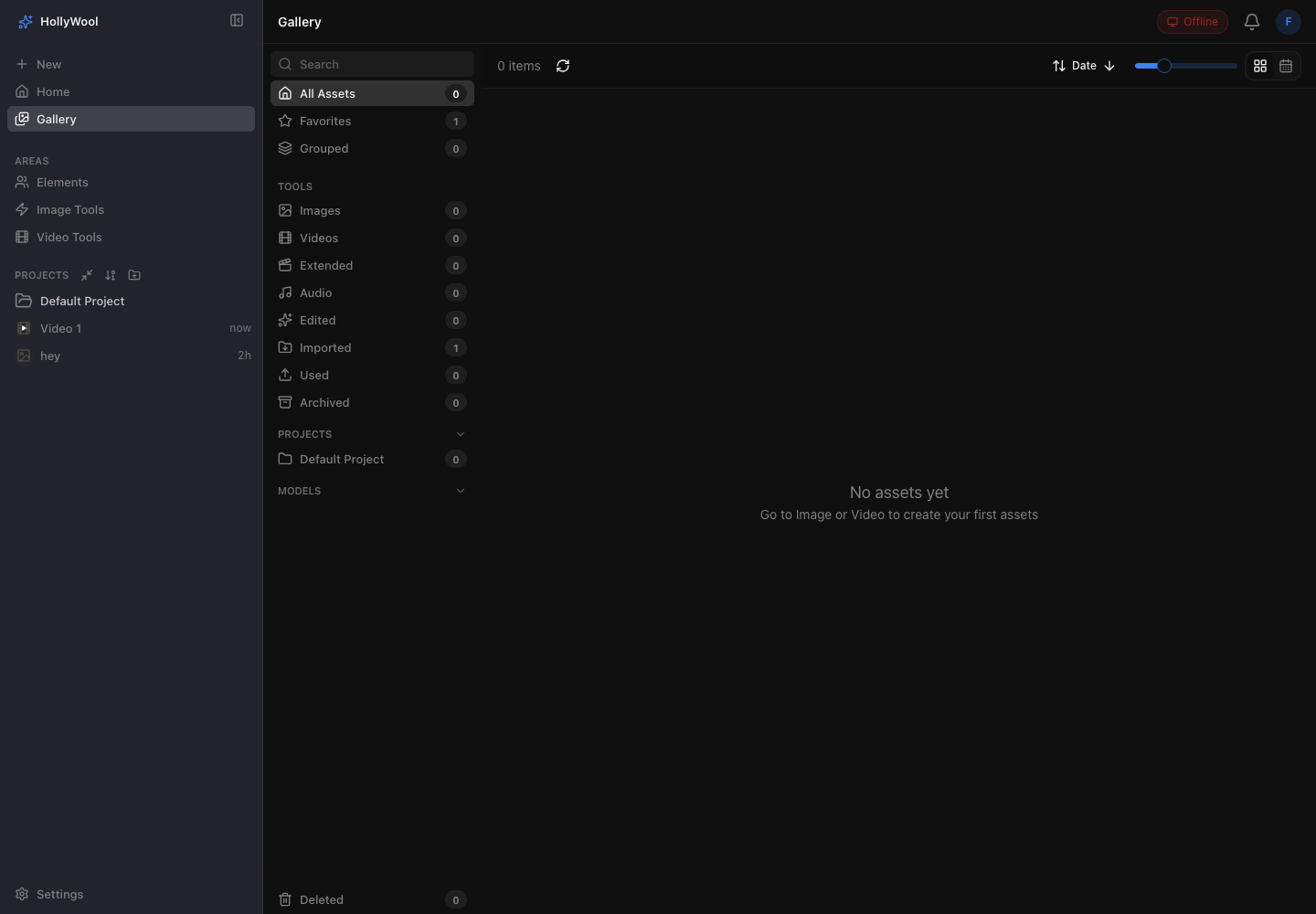
Gallery
Browse stills, clips and tracks from every project. Filter by media, provider, or local versus cloud, then open any asset back into tools or a new prompt.
FAQ
Short answers about local models, remote providers and where your files live.
No. Remote jobs use your own provider accounts (fal.ai, KREA, Higgsfield, Venice, OpenAI and others). You pay those providers directly. Makejam routes the work and keeps outputs on your Mac.
Yes. Makejam discovers Inferencio workers on your local network, such as an NVIDIA DGX Spark, and dispatches to them like any other provider. Outputs still land in your library.
Local runtimes and LAN workers run without the public internet. Remote providers need a connection when you choose them.
Nothing for remote providers beyond API keys in Settings. Inferencio is optional for local or LAN GPU workers. ffmpeg is used for video tools and storyboard export.
In a local database and an outputs folder on your Mac. No cloud account, no library upload. Delete the app and your work is still on disk.
Makejam targets modern macOS. Apple Silicon is recommended for local models. Remote and LAN routes work on any supported Mac once a provider is configured.
Local models when you want privacy. Cloud when you want range.